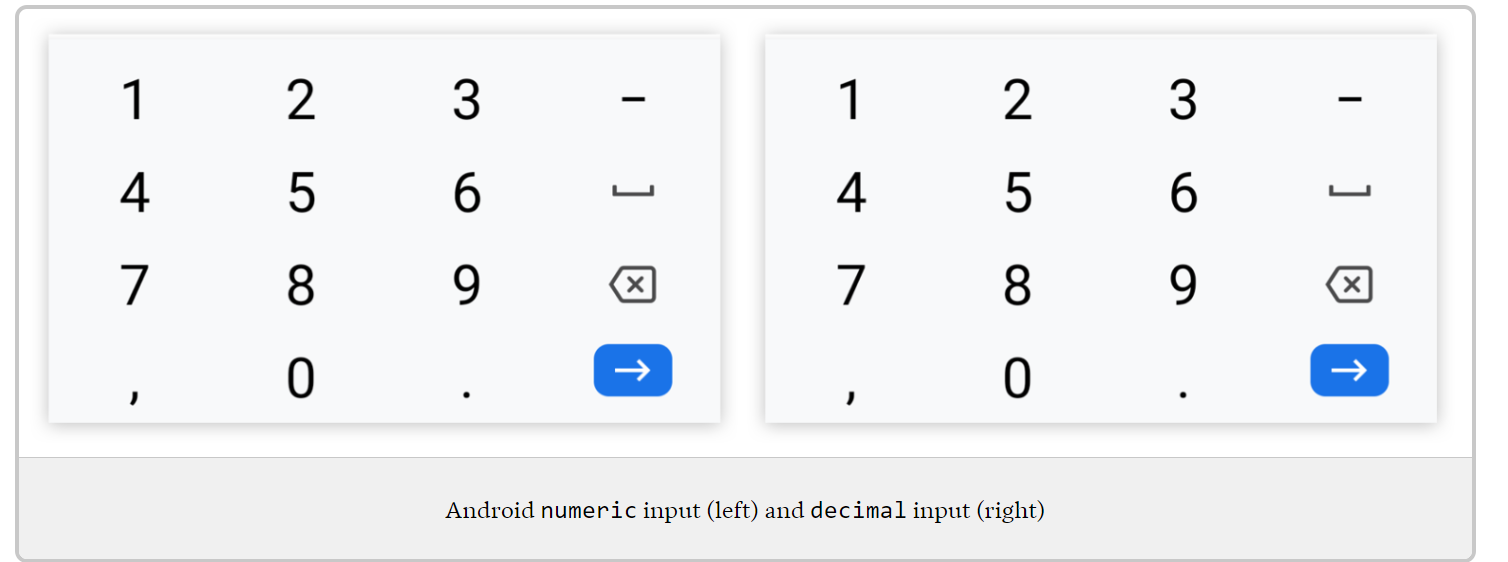
Today I learned that iOS changed the way it handles the inputmode="numeric" attribute on HTML input elements.
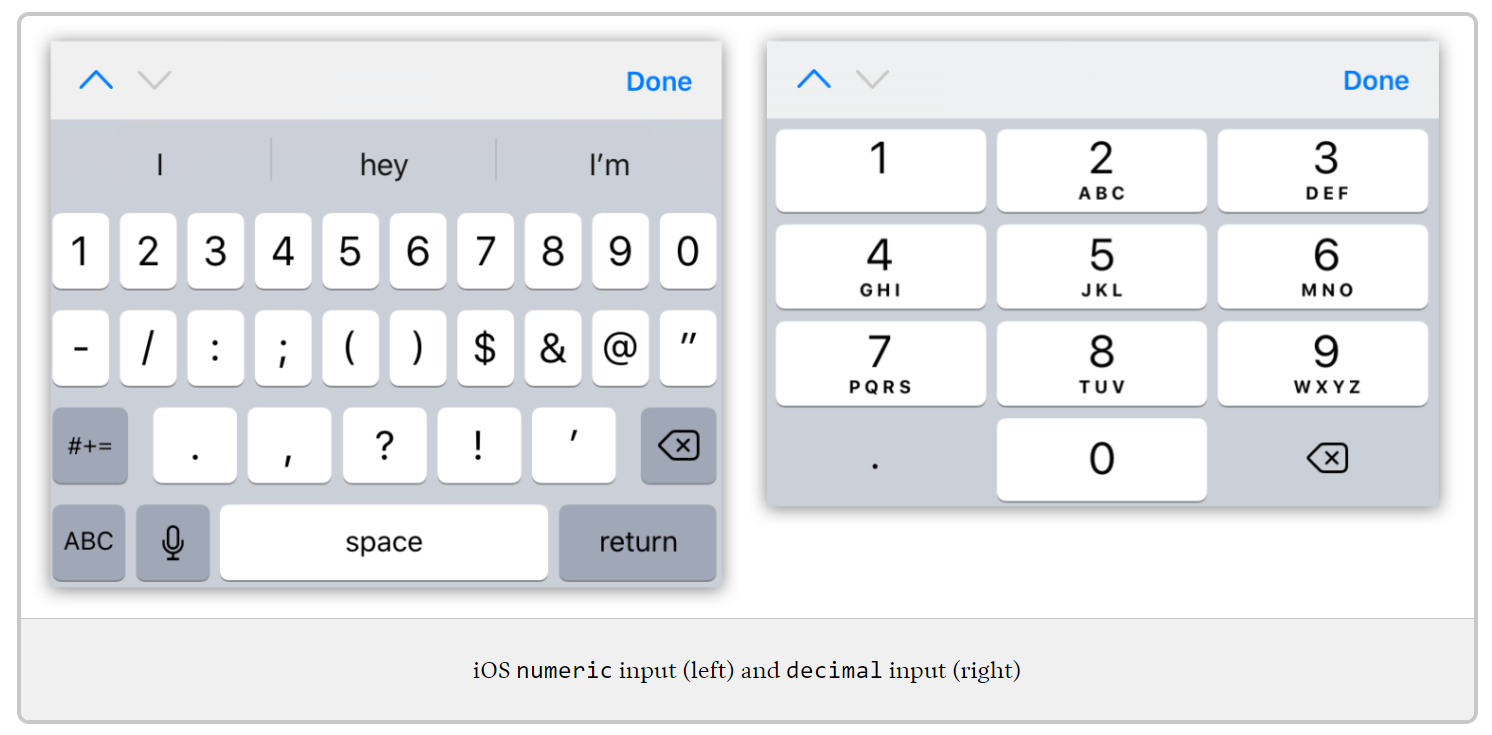
It used to display the full number keyboard as shown here:
I couldn’t find it documented anywhere but, after testing various versions on BrowserStack, I found that starting with iOS 14 the numeric keyboard is the same as decimal but without the decimal key:
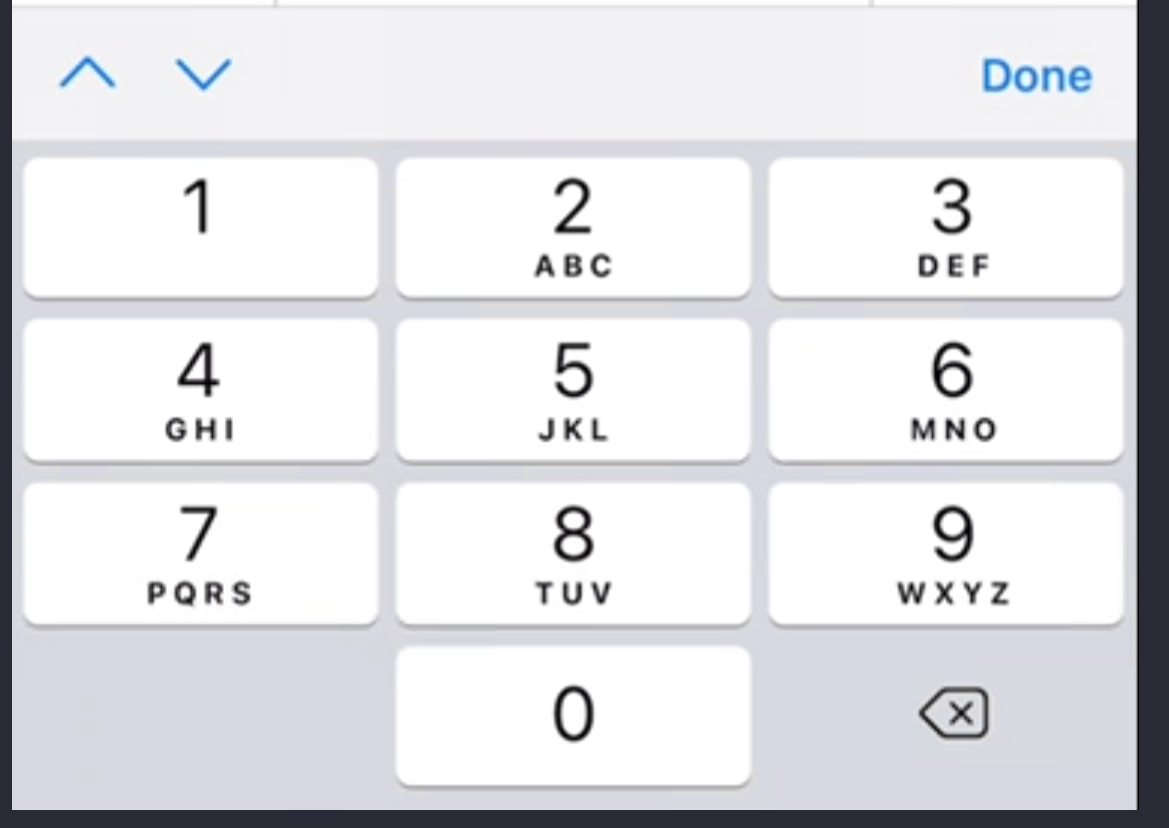
This is overall an improvement in usability I think except if you need to allow the user to enter negative numbers. So something to be aware of since I couldn’t find any way to type the - with that attribute set.
Unfortunately, all the sites I found that discuss inputmodes, show the old version like this post but it’s still a good resource and I recommend setting an inputmode where it makes to make it easier to type certain values on mobile devices.
Also, I like how Android handles it better: